

Mecanius 2026
Finite element structural analysis, from the 3D model to the calculation report.
With Vysia AI, the assistant that helps you set up every simulation.
- Solvers
- 3D Solids · Beam & Shell
- Results
- Von Mises stress, displacements, strain and factor of safety
- Delivers
- Calculation report in Word and PDF, with the analysis results
- Runs on
- Windows, web browser and tablet, in 24 languages
How it works
From model to report
Six steps, from the STEP file to the calculation report.
Import your 3D model
Open your model in STEP format.
Set up
Define loads, supports and mesh. Vysia AI helps you do it.
Mesh
Start from a recommended mesh and adjust it if needed.
Solve
3D Solids or Beam & Shell, on Mecanius servers.
Review
Von Mises stress, displacements, strain and factor of safety.
Report
Calculation report in Word and PDF.
Two ways to solve
3D Solids and Beam & Shell
Each case keeps its own solver, and a single report can combine cases from both.
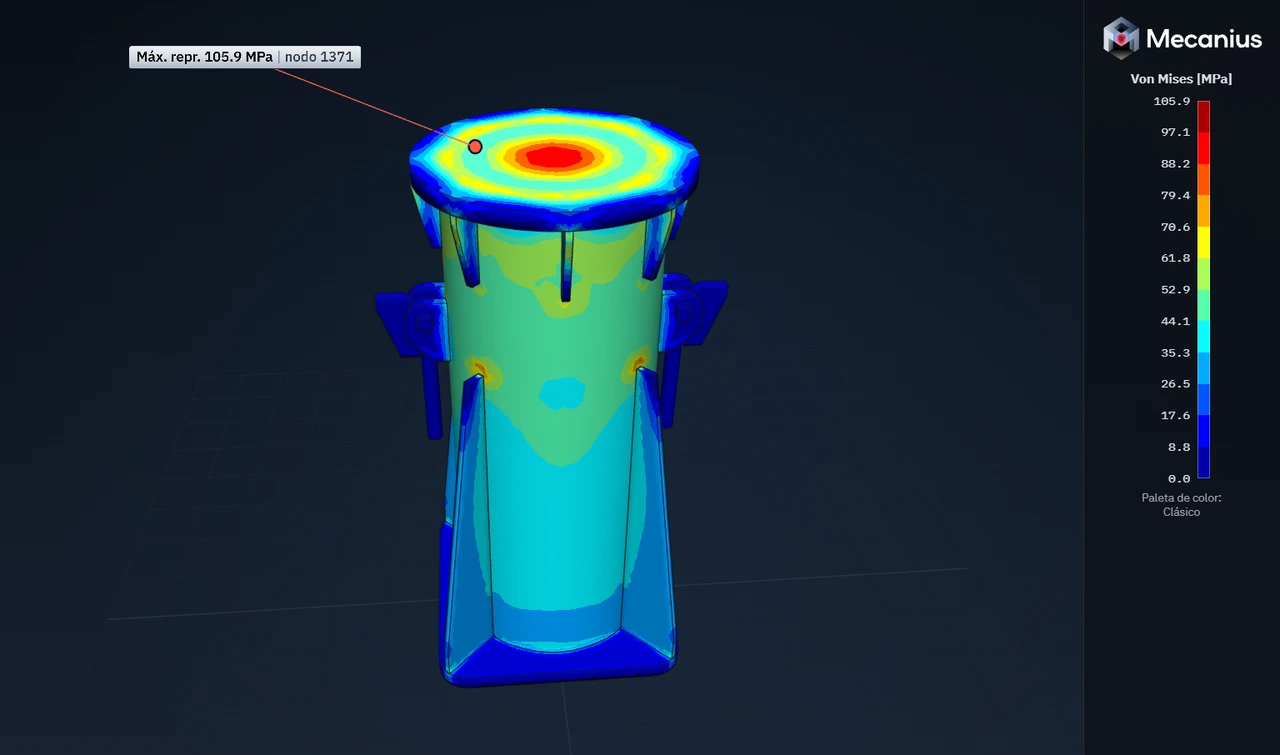
3D Solids
Parts and assemblies imported from STEP, with a recommended mesh to start from.
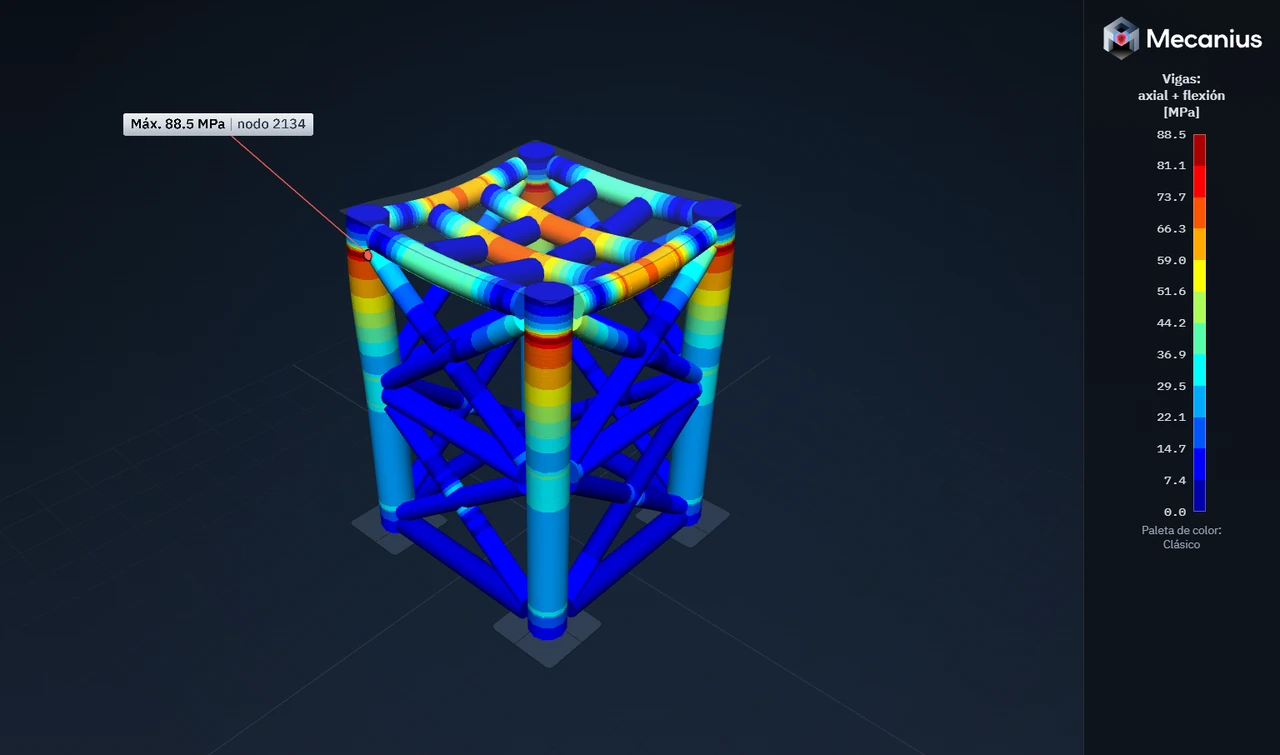
Beam & Shell
Frames of profiles and plates: axial plus bending stress in the beams and von Mises stress in the plates.
Mesh quality
A label shows you the quality of the mesh.
Per-axis constraints
Constrain only the axes you need. Vysia AI can adjust them too.
Two-factor sign-in
A code from a phone app protects your account. It is required for administrators.
24 languages
Mecanius comes in 24 languages.
All of these features come with every plan.
The Mecanius assistant
Vysia AI
A single mission: helping you set up every simulation efficiently.
Describe in your own words where the loads, supports and mesh go, and Vysia AI proposes them on the model. You review and decide.
It learns from each user and adapts to the way they work. What it learns stays in your account: it isn’t mixed with other users’ data, it never leaves Mecanius, and you can delete it in Preferences.
It is Mecanius’s own assistant, and it runs on Mecanius servers.
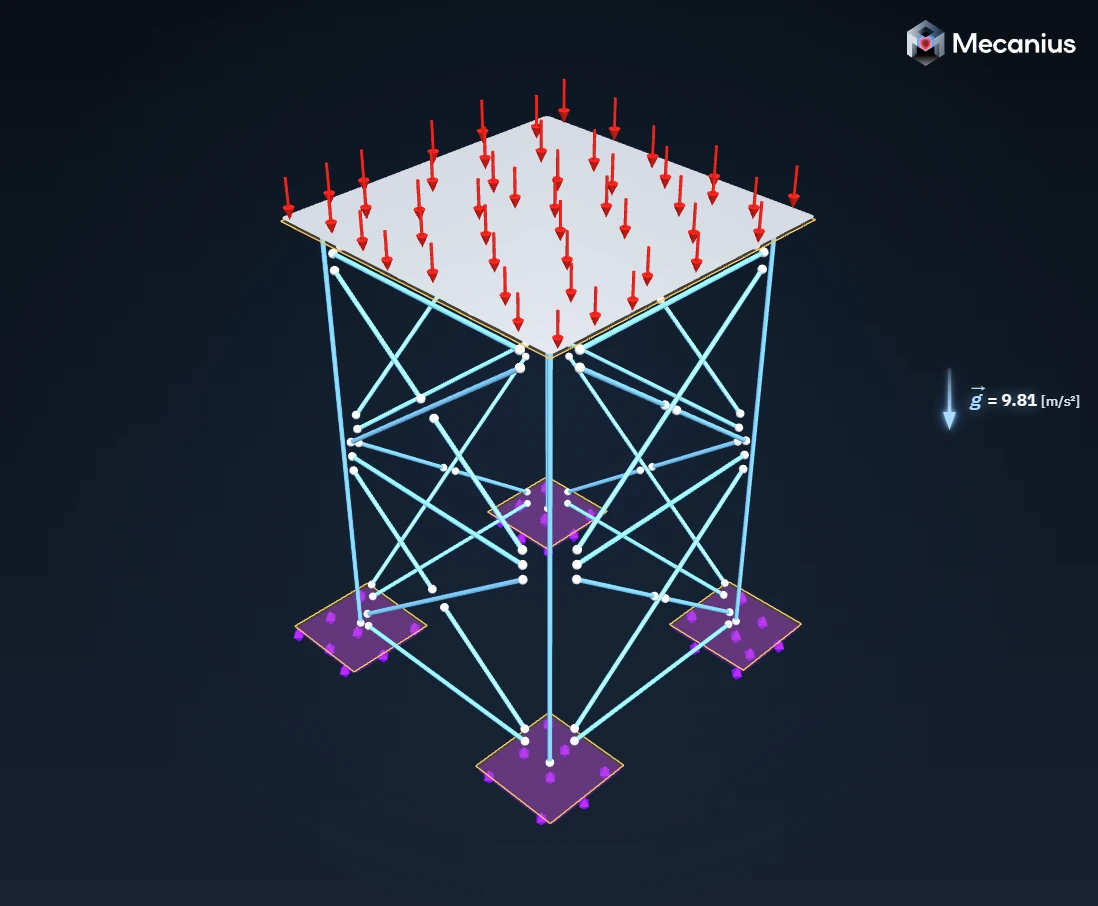
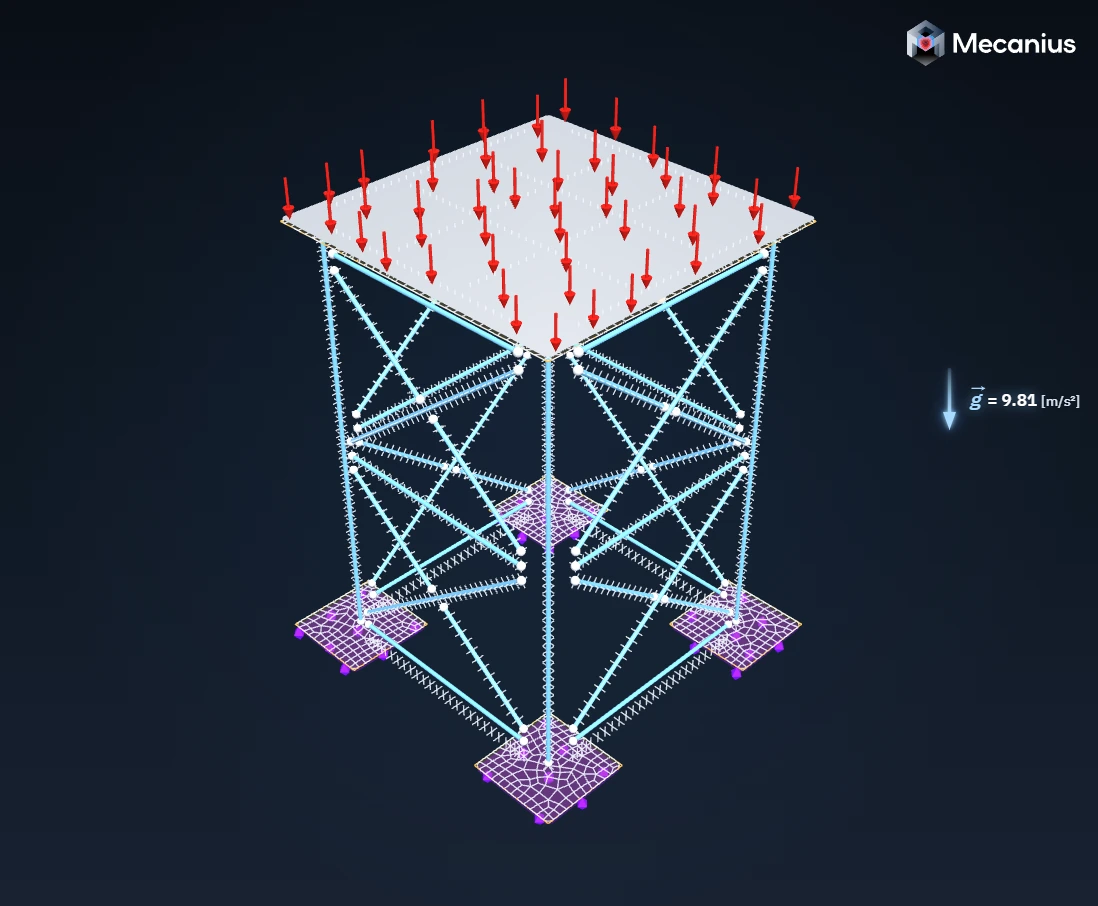
Fix the bottom plates of the base, apply 30 000 kgf to the top plate in the -Y direction, add gravity and suggest an initial mesh.
Beam & Shell
Mecanius Cloud
Solve directly on Mecanius machines.
Every simulation runs on Mecanius Cloud or on a Mecanius Dedicated Server, not on your computer, which stays free for your work.
Desktop
Recommended: Windows 11
A Windows app, with a viewer that works offline.
Web browser
Recommended: Chrome or Edge
From any computer, with nothing to install.
Tablet
Android 10 or later
The browser interface, on a tablet too.
Validation
Validated against theory
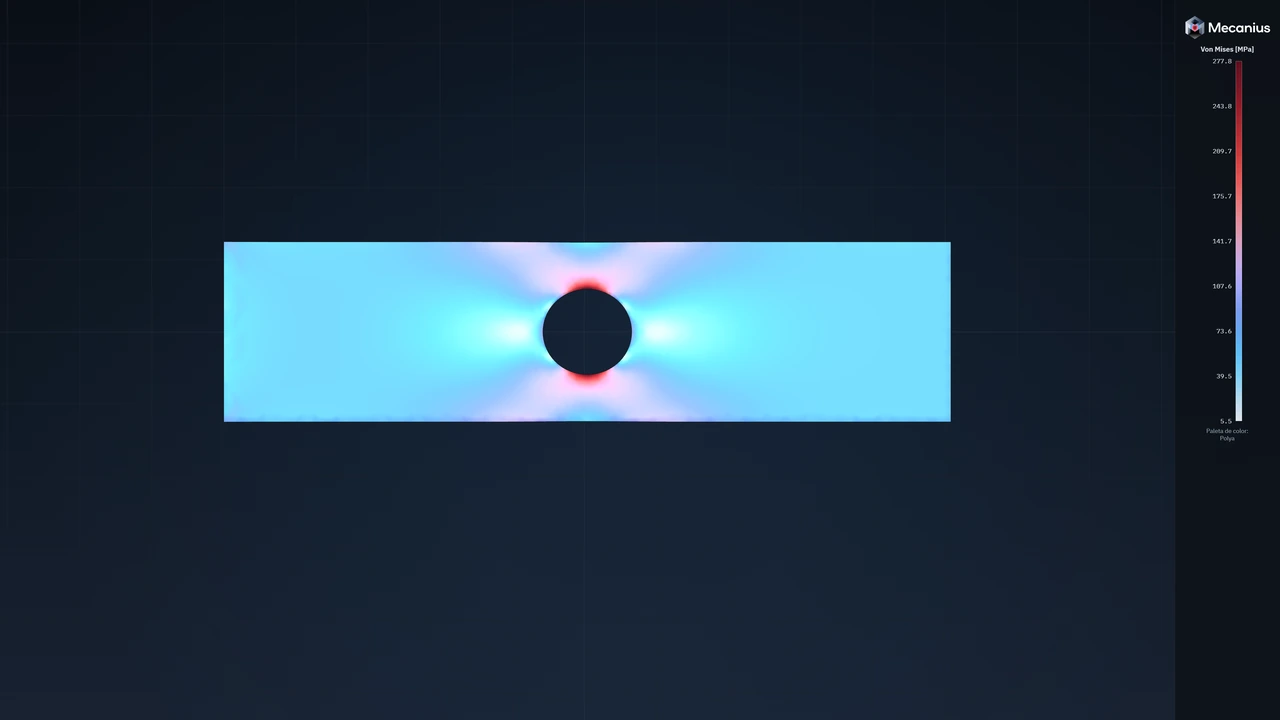
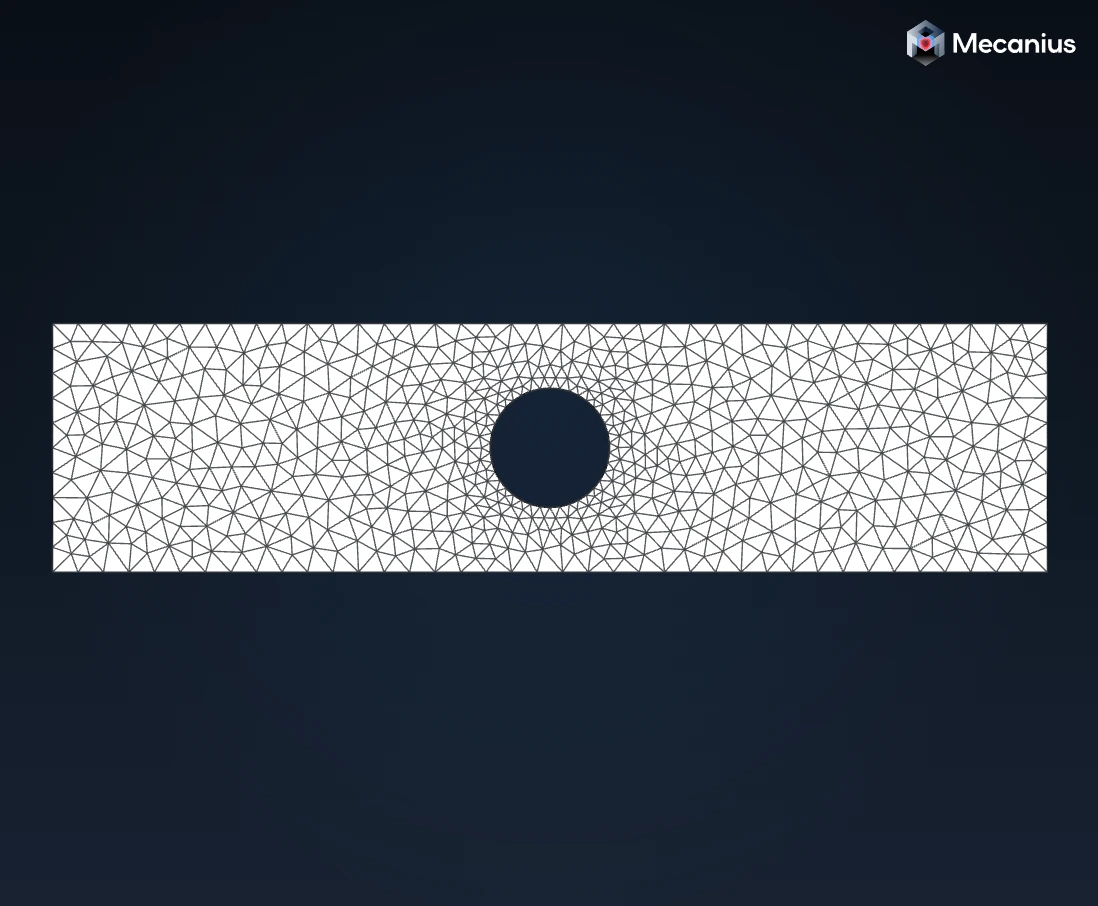
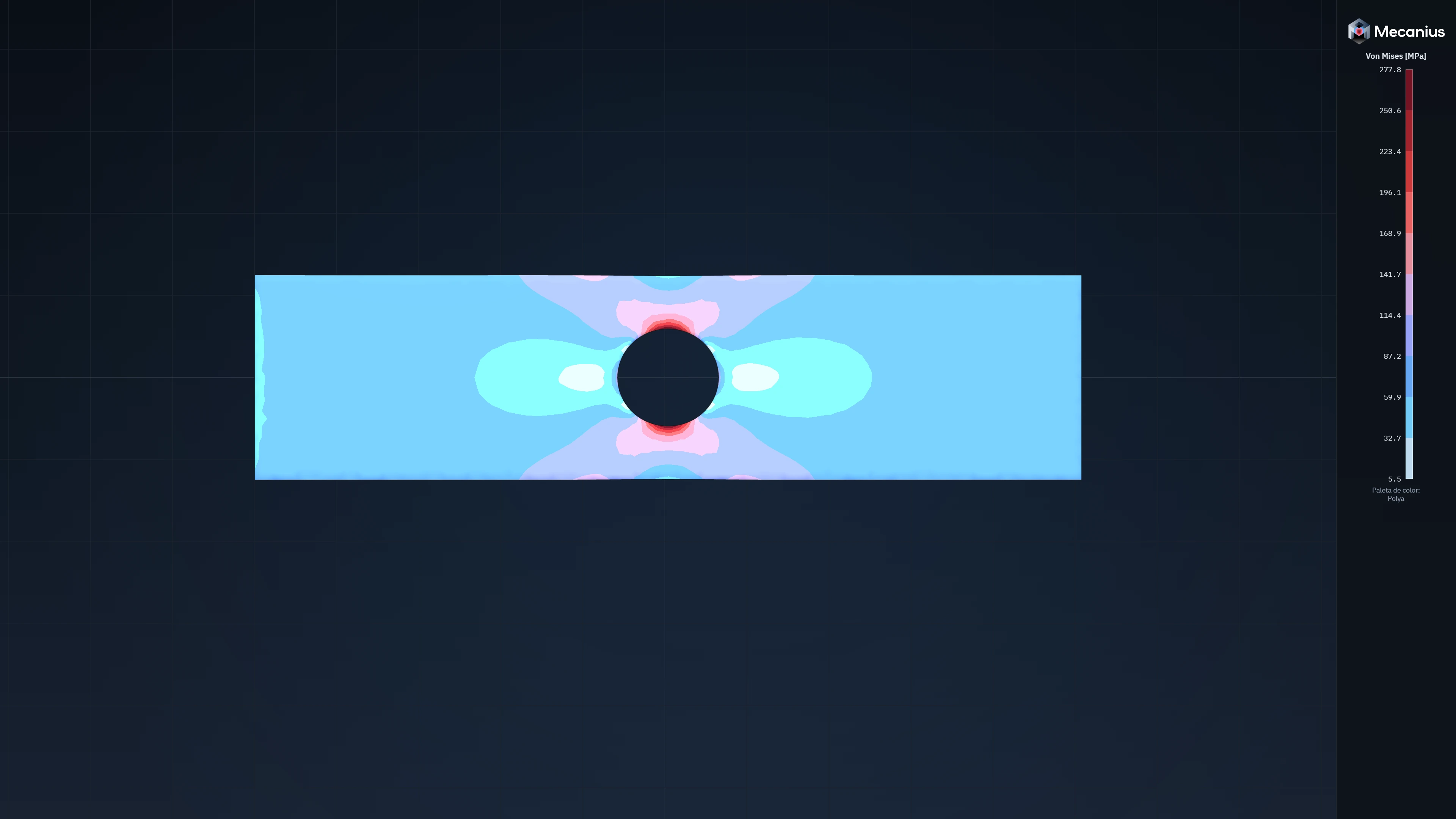
A 200 × 50 × 3 mm steel plate with a 24 mm hole, in tension under 10 kN. Howland’s classic solution, as given by Peterson, predicts a maximum of 278 MPa at the edge of the hole.
- Theory: Howland, as given by Peterson
- 278MPa
- Mecanius, with the mesh refined to 2 mm at the hole
- 277.8MPa
- Difference
- < 0.5%
Ready to solve with Mecanius?
Official reports
Reports anyone can verify
Mecanius builds the calculation report in Word and PDF.
Each account has a license number. Each official report carries a verification code and a QR code, so your client can check that the report is authentic.
- License number
LIC-7K4Q-M29TExample- Verification code
MCN-H3XF-8WQR-5TNB-KExample
If the report was made with an academic license, every page and the verification say so.
Made with Mecanius
Real analyses, exactly as the program shows them.
-
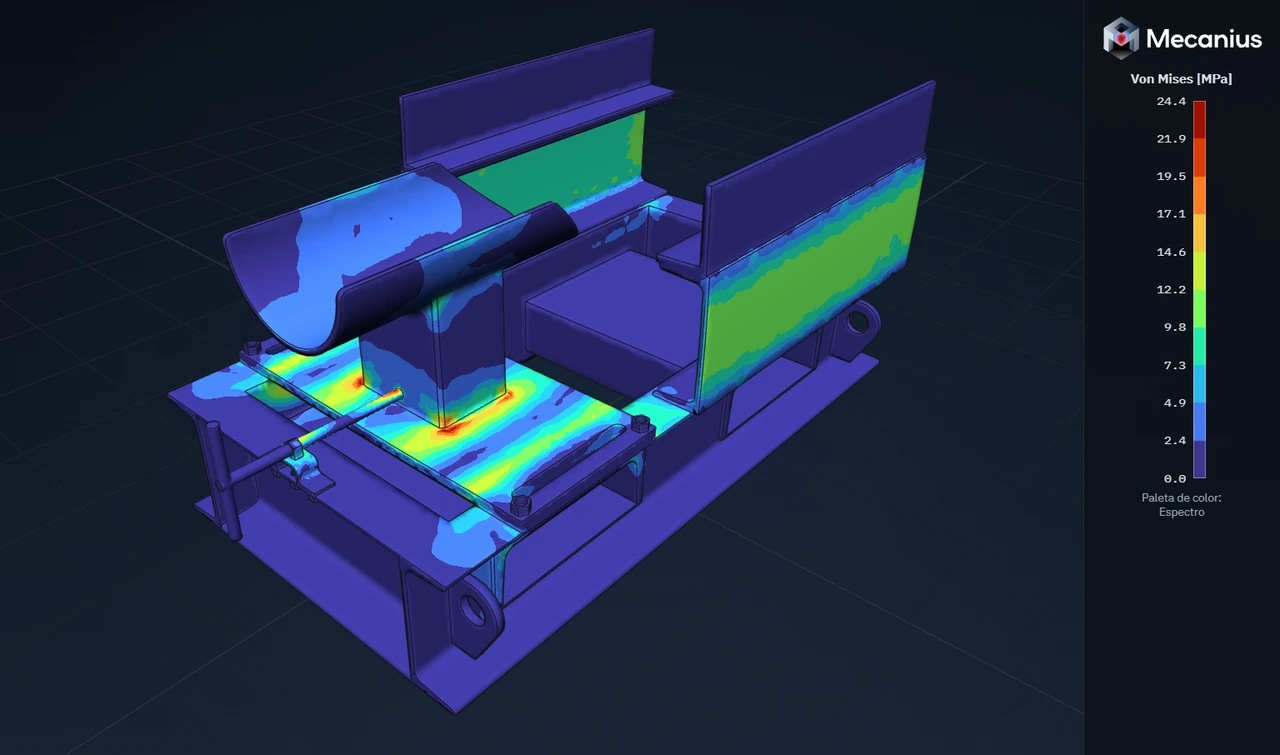
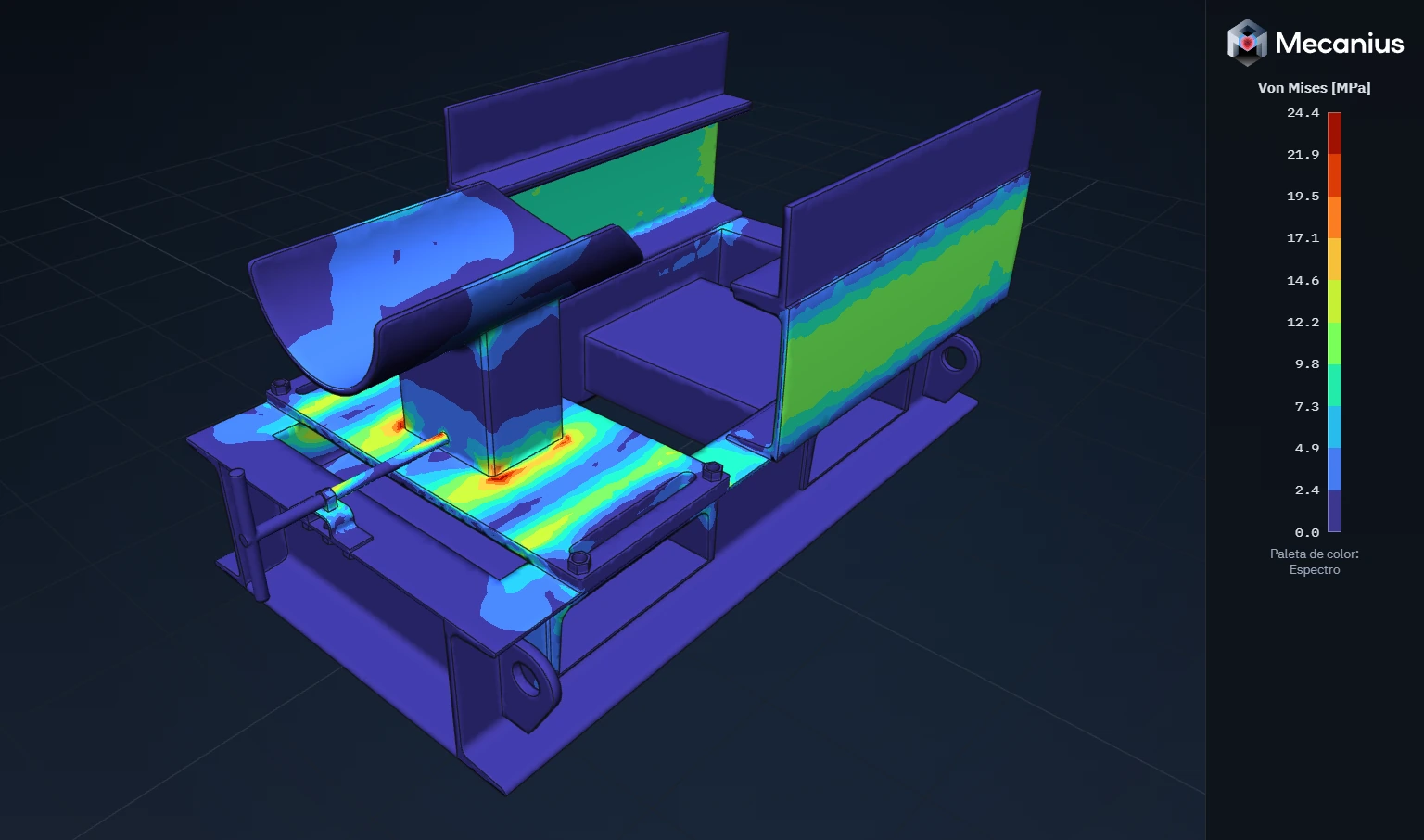
1 tf tensioner wheel support: von Mises stress -
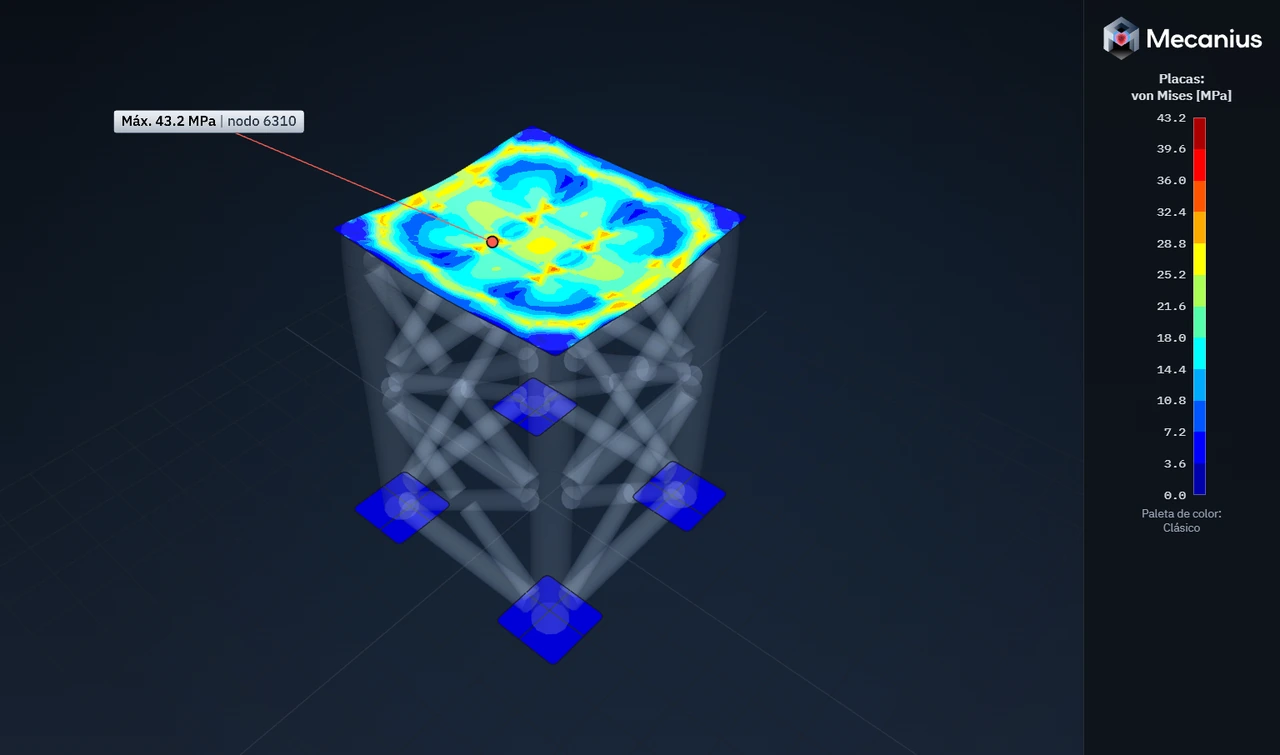
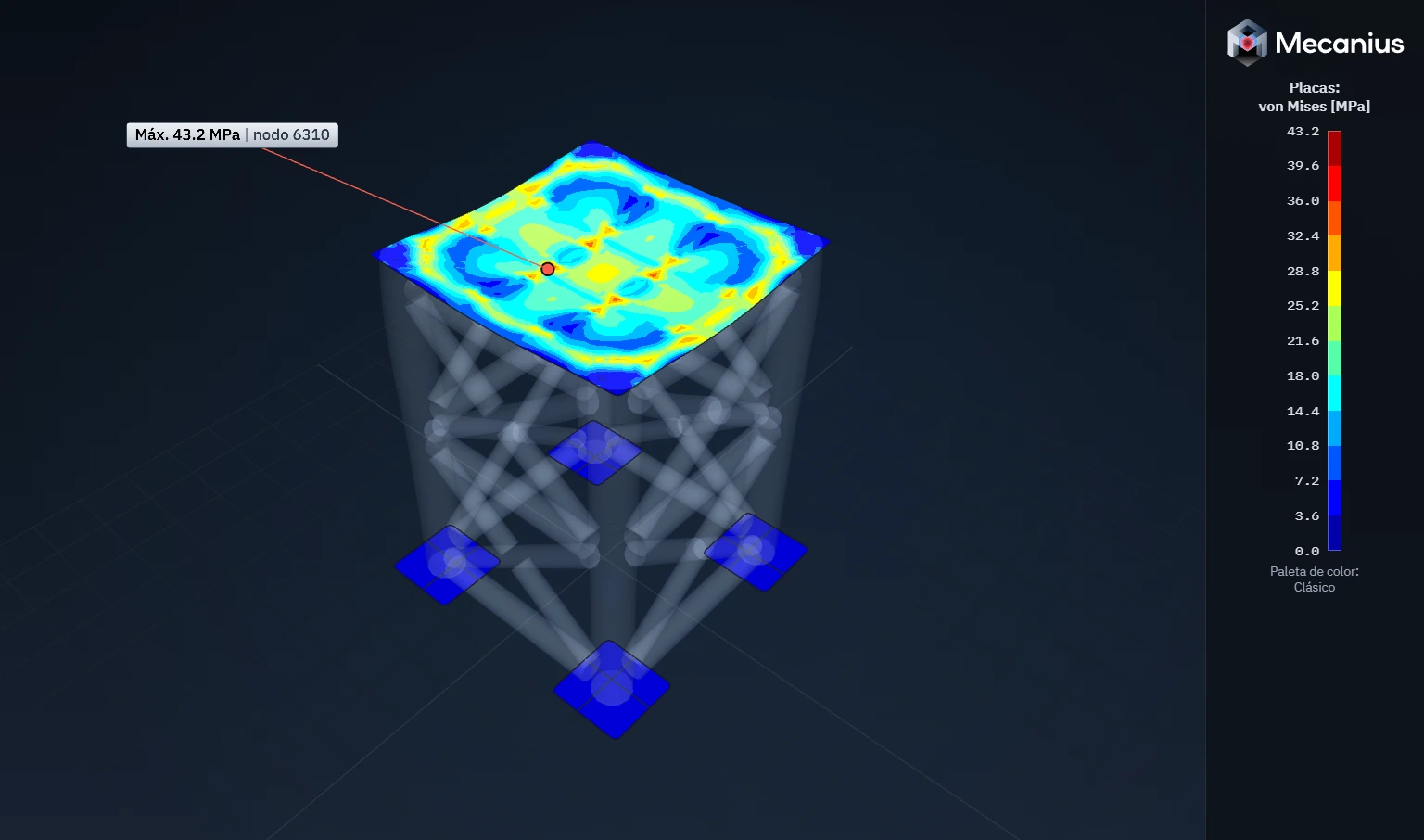
Plates: von Mises stress -
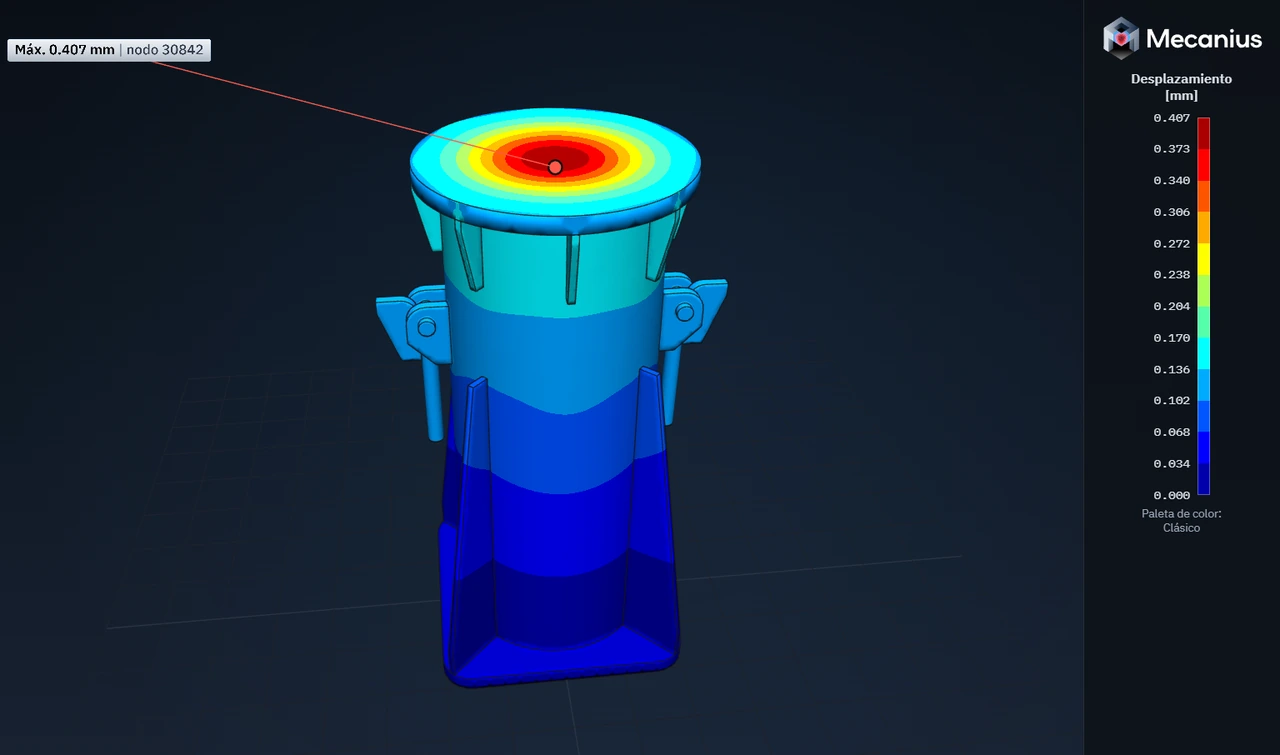
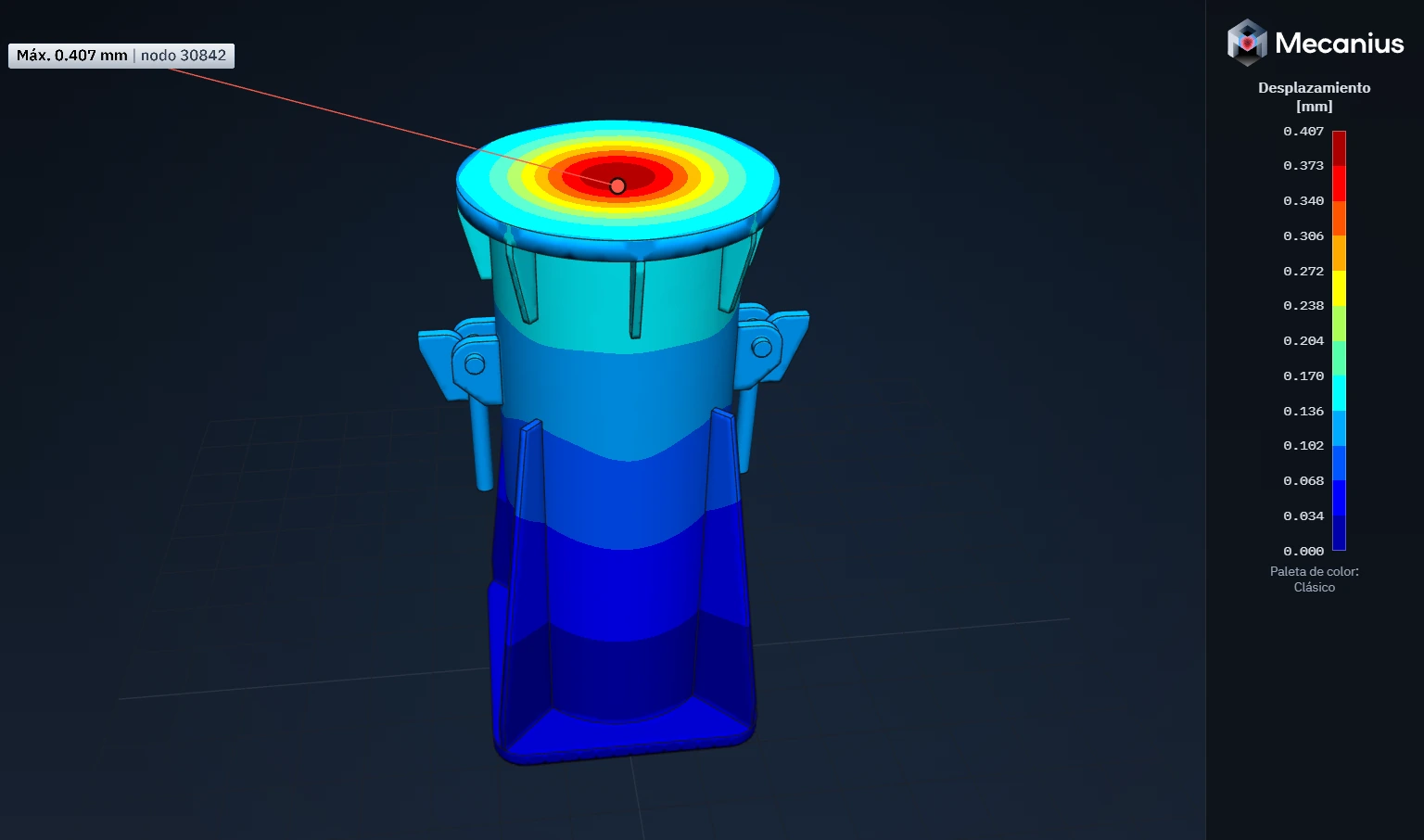
50 t support: displacements -
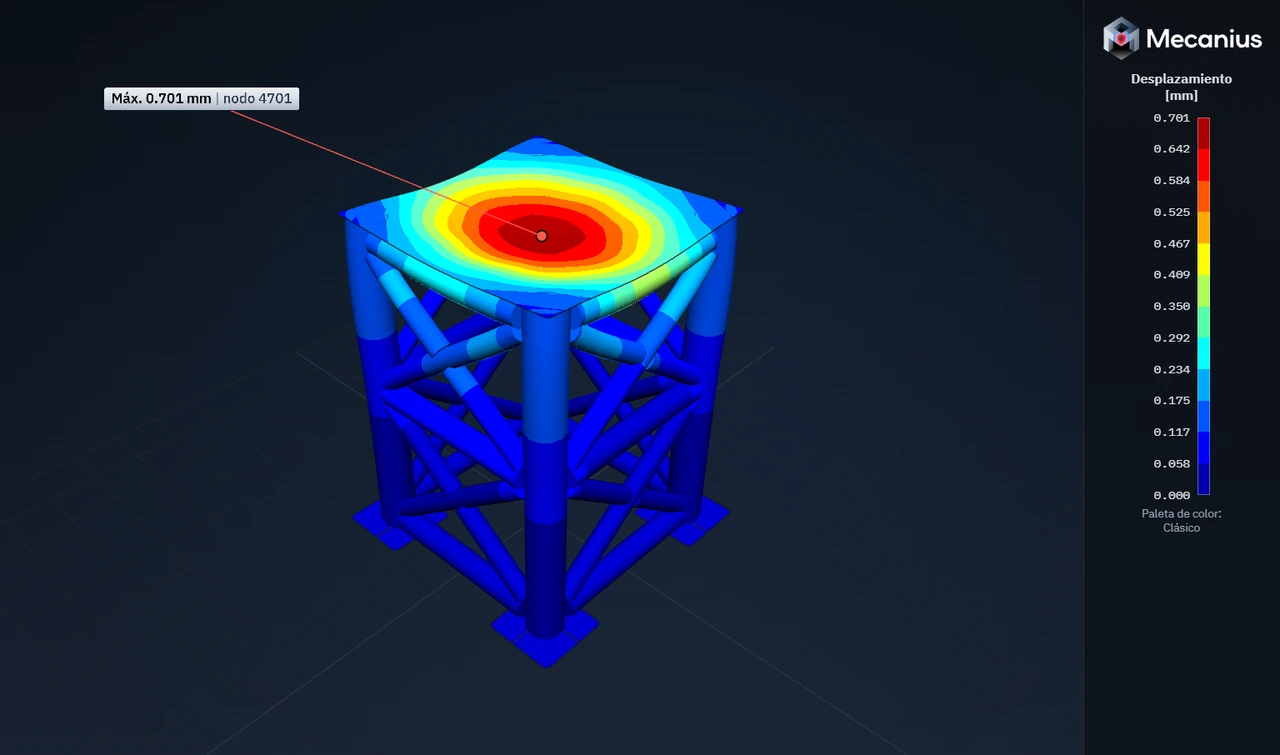
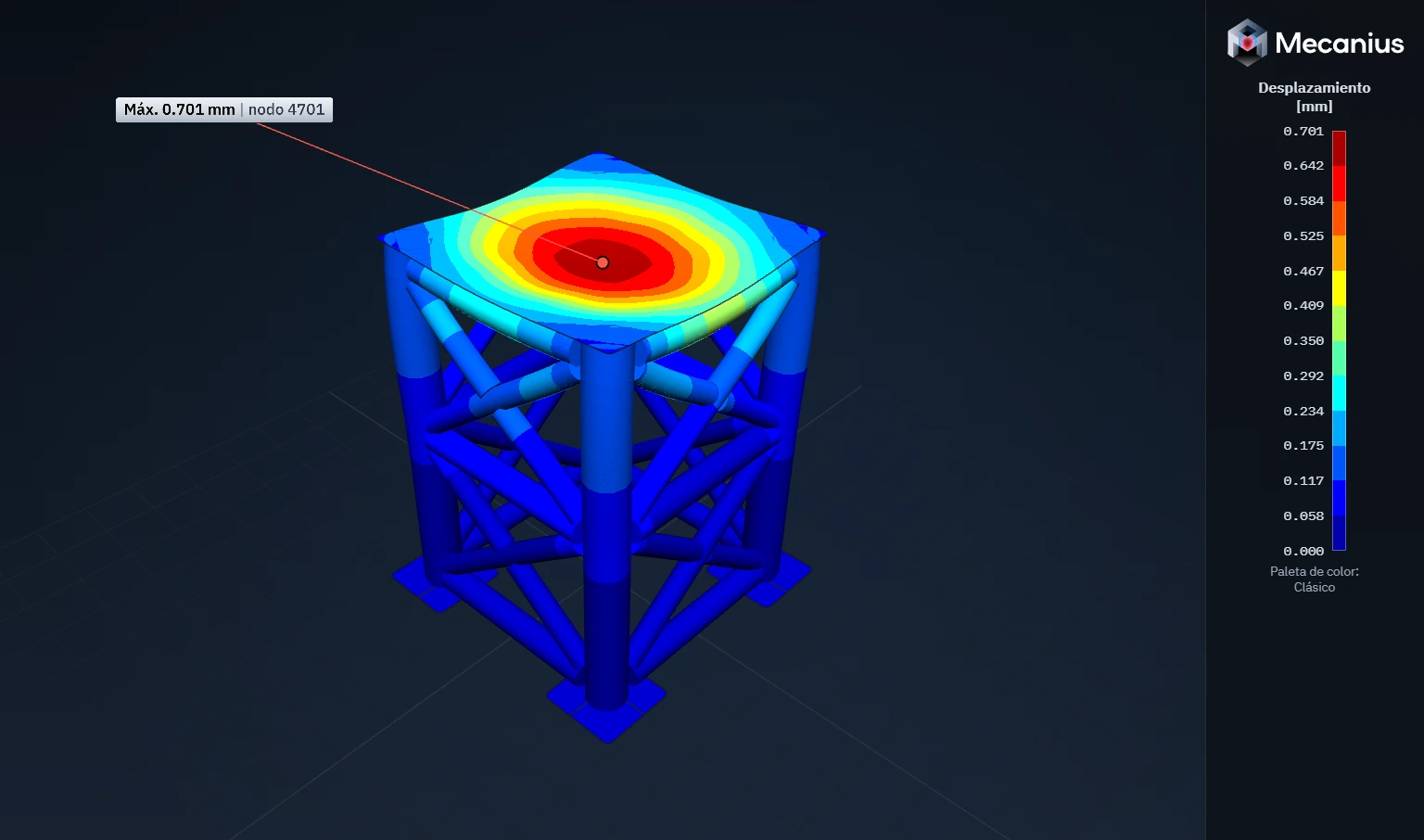
Displacements of the whole structure -
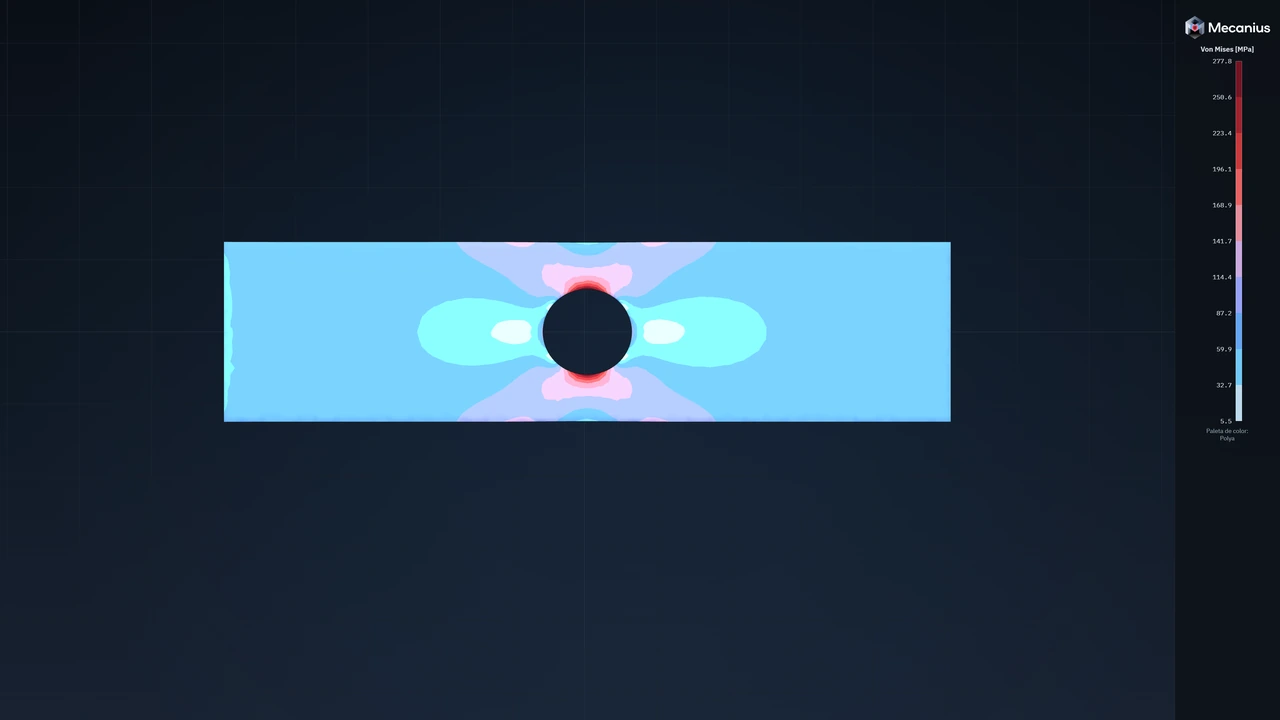
Perforated plate in tension under 10 kN: von Mises stress in bands -
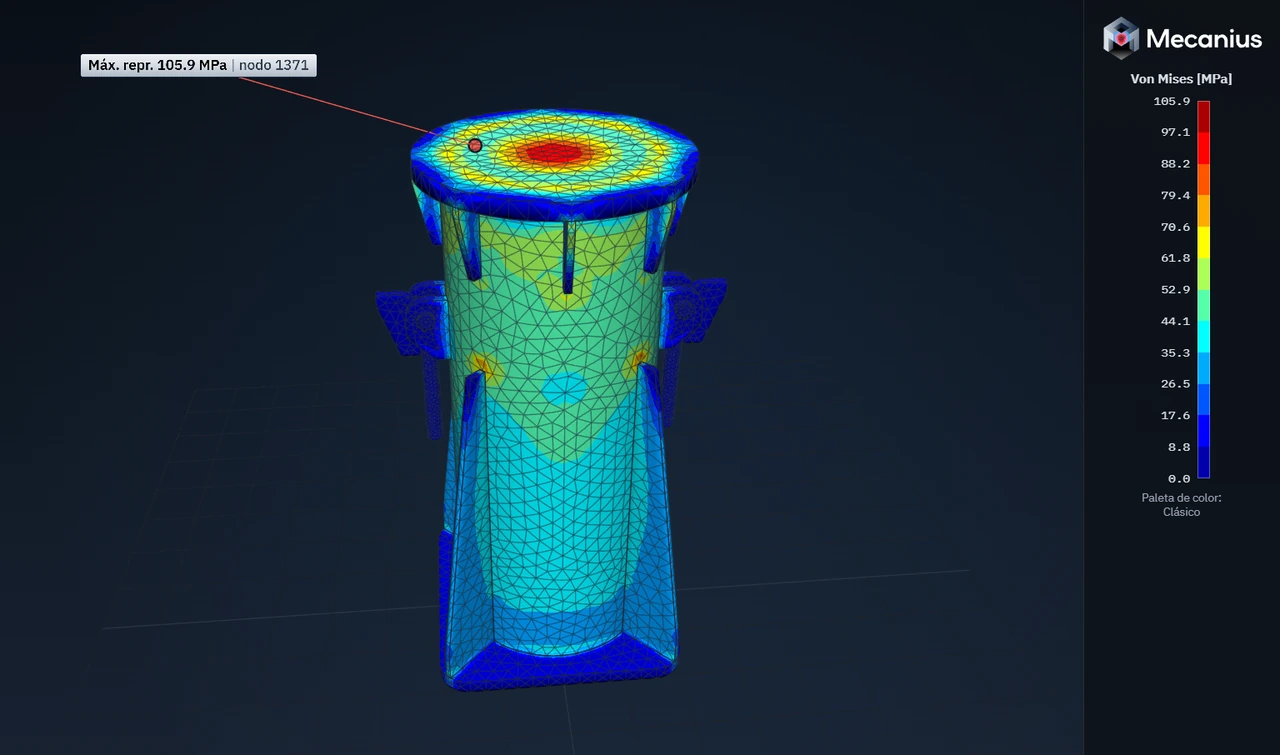
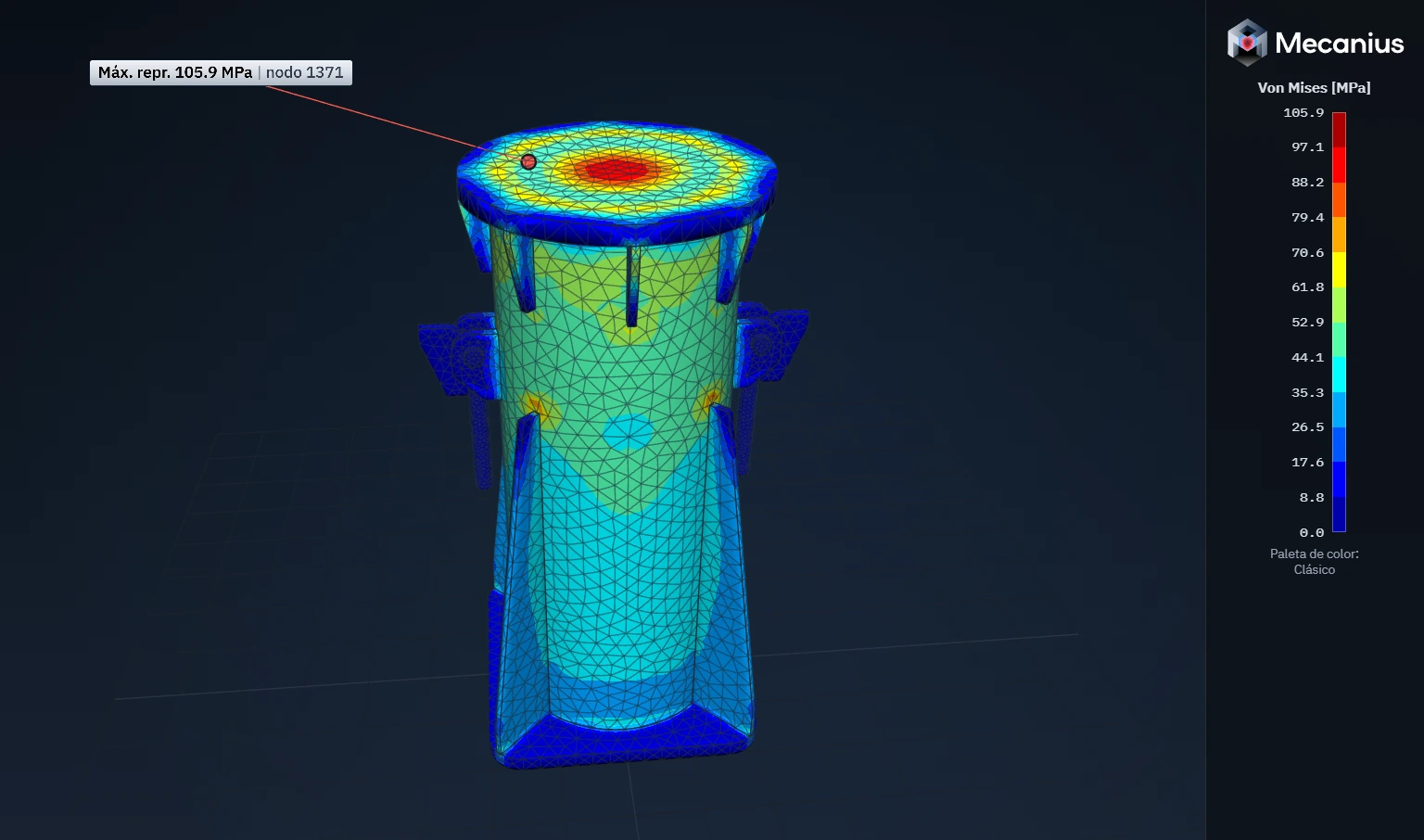
50 t support: von Mises stress with the mesh visible
Plans
Two plans, every feature
Each person signs in with their own account, from any computer.
Pro
Engineers
USD 275 + VAT per month, per license
Prime Commercial
Companies and engineering firms
Custom quote based on the number of licenses
Prime Academic
Universities and engineering departments
From USD 165 + VAT per month, per license